

Table of Contents
2026 Highlights
2026 has been about making TetherX easier to operate at scale: faster camera setup, clearer professional monitoring, better health visibility and less time spent navigating the platform. The links below lead to the full guides where setup matters.
Cameras and Live View
Simpler camera setup
Automatic Configuration applies recommended stream settings to compatible new or existing cameras. You can activate supported cameras and recorders from the cloud, assign a static IP where needed, and make the same change across a group of cameras. See Camera API Tab and ONVIF.
Camera Recording Schedule and Camera Masking
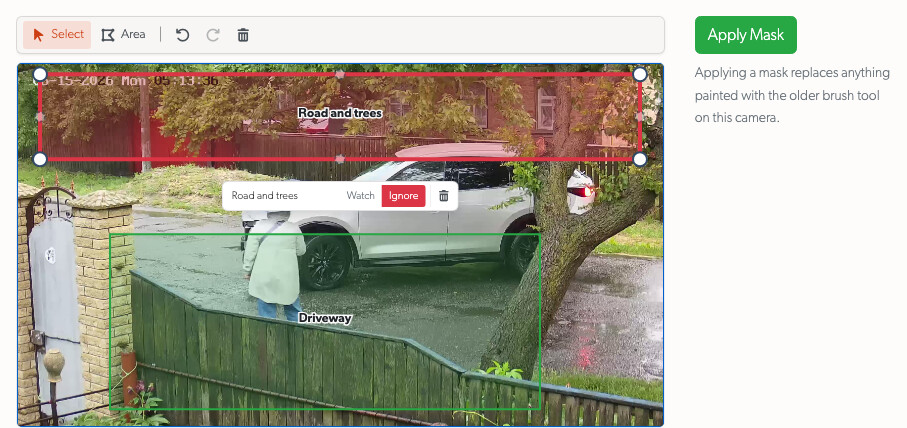
Camera schedules are now readable rules rather than an hourly grid: they support minute-level times, overnight periods, exceptions and bulk changes. Masking is now drawn as named Ignore and Watch areas on a live still, with point editing and undo/redo.
Better Live View
Live View is more comfortable on phones and tablets: tap for controls, pinch to zoom, drag a zoomed picture and double-tap for fullscreen. Saved walls retain intentional framing, and new layouts fit standard, wide and portrait screens.
Professional Monitoring
A clearer operator workflow
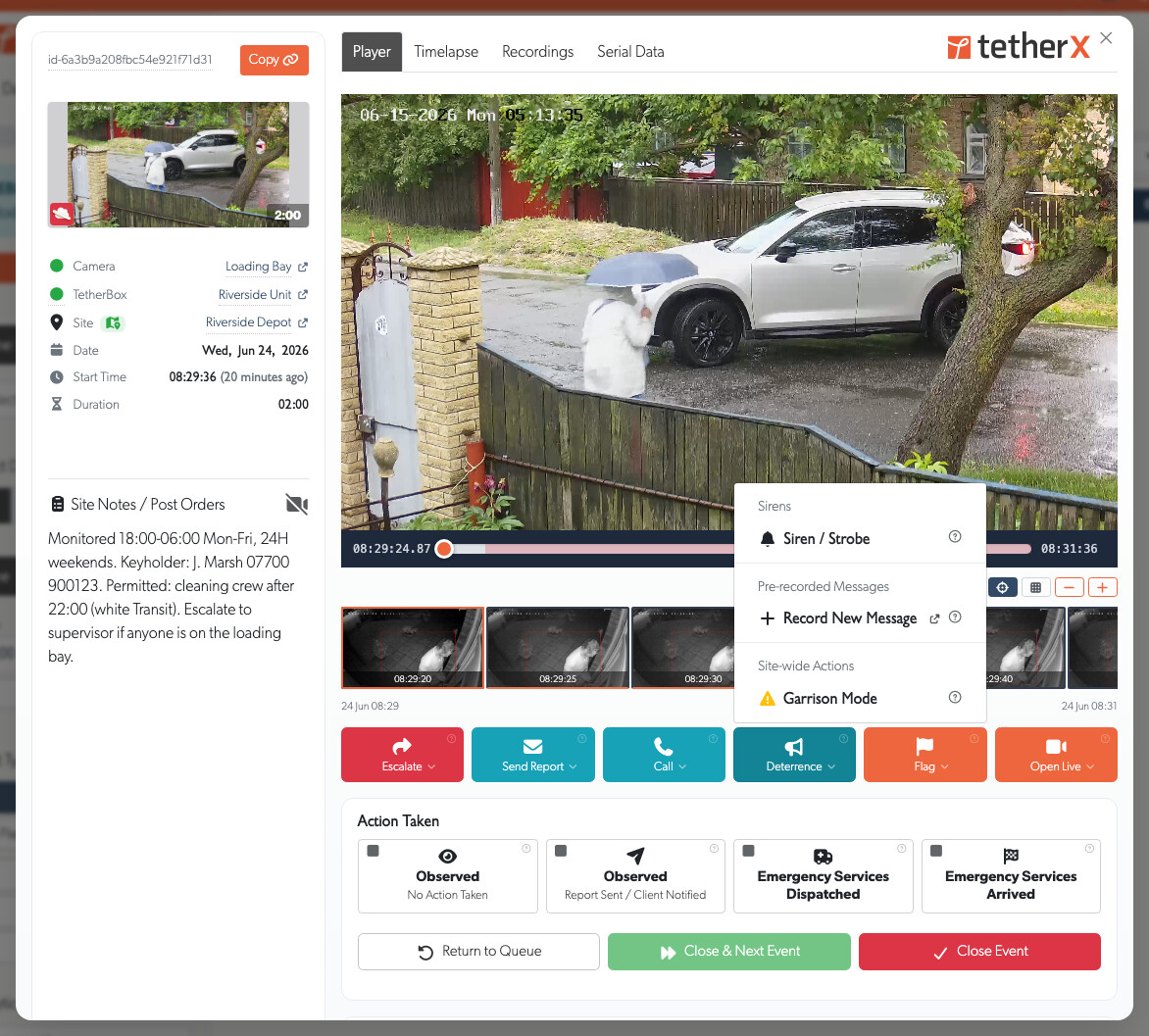
The full-screen operator console keeps operators focused on their assigned events. They can hold, release, action or close an event, move to the next one and call a supervisor. Events that remain active after closure move to the Monitoring Strip instead of vanishing, which avoids a chain of duplicate incidents.
Monitored Hours
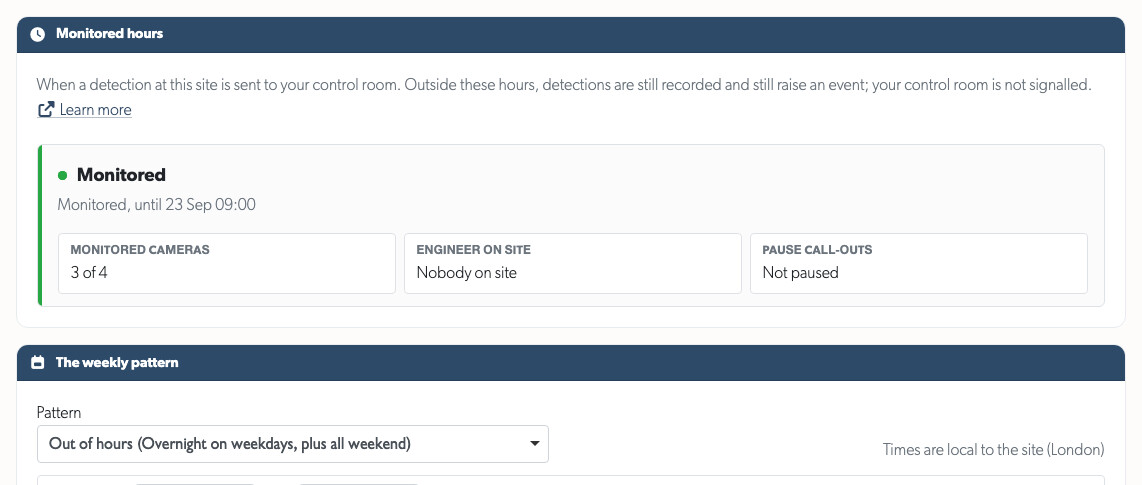
If your system has Professional Monitoring, choose which cameras are monitored and when, in the site's local timezone. Rules can cross midnight, dates can override the weekly pattern, and temporary pause or engineer windows stop automatically. The platform also shows which detections a schedule held back, making an unintended silent period much easier to spot.
Talkdown, integrations and reporting
Talk to a site from Live View or the operator console, play a recorded warning or use compatible two-way audio. TetherX also supports direct control-room integrations, and ARC Performance Reports provide daily operational, response-time and camera-activity reporting.
Health and TetherBox Management
Find faults before they become outages
Health Reports highlight frequent reboots, unstable connections, camera and recorder problems, and storage faults. TetherBoxes waiting to be installed no longer appear as offline customer systems, and supported recorder disk health is surfaced across the device, camera and health views.
A more useful TetherBox map
The TetherBox Map now updates live and clearly distinguishes healthy units, recent outages, prolonged outages and confirmed faults. It works better across large fleets and on touch screens, with direct links from each pin to the relevant unit, Live View or Events.
External uptime monitoring
Every TetherBox has a passwordless health probe for services such as Uptime Kuma and UptimeRobot. It returns success only when the unit is reachable and responding. See Uptime Monitoring.
Platform and Workflow
Faster everyday administration
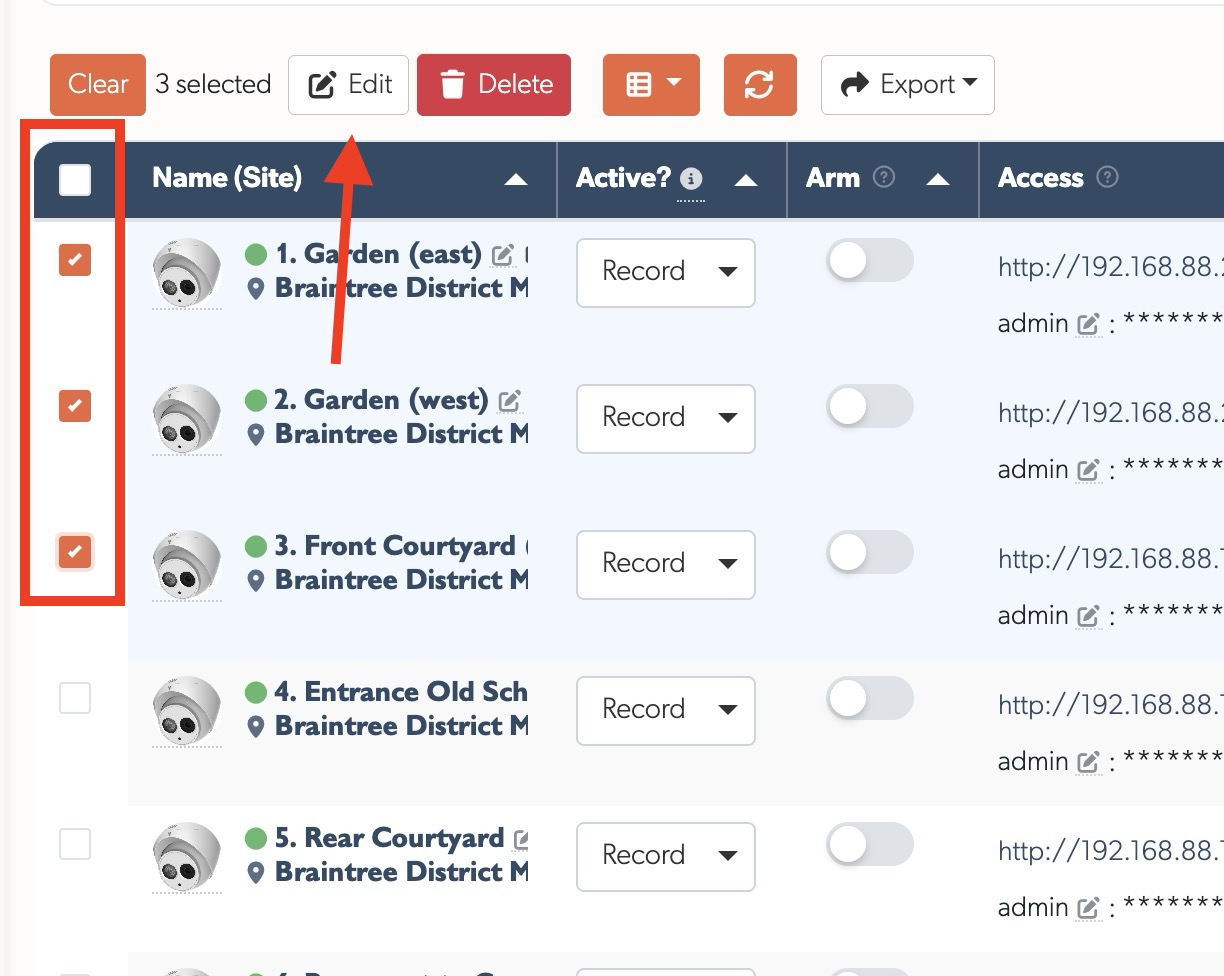
Tables can be resized, reordered and tailored to the columns you need, with each layout remembered. Bulk edit and delete now cover more platform lists, while still applying the same permissions as individual actions.
Safer access and easier site management
Administrators, integrators and distributors can be limited to specific sites. The platform consistently applies that choice across Events, Live View, recordings and equipment. Sites also store contact details and what3words addresses, and TetherBoxes can move between timelines while retaining their local history and footage.
White-label branding and cloud quotes
Partner colours now flow through the full interface, including dark mode. Cloud quotes clearly show activity, retention, quality, partner discounts and customer pricing; Canadian, Australian and Indian deployments use their local currency.
Events and Playback
Find and review incidents faster
Events now open over the list, so you keep your place while reviewing footage. The player handles an entire event continuously, with thumbnail previews, filmstrip navigation, variable speed and recovery from damaged segments. It also adapts cleanly to phones in either orientation.
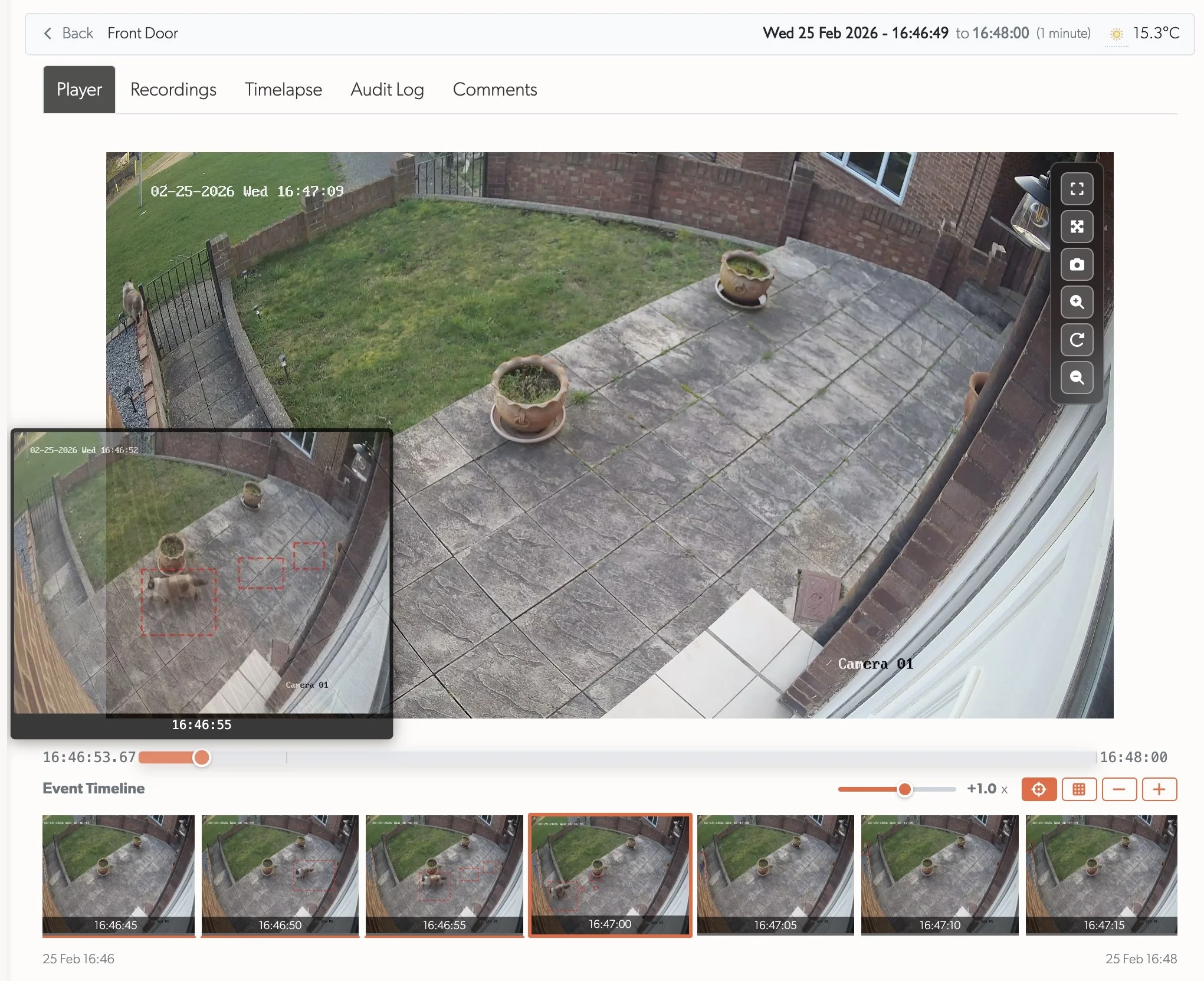
More meaningful event information
Events are moving beyond a single “motion” label towards clearer categories for people, vehicles, PPE, number plates, environmental alerts and more. Alarm panel state changes appear as events too, alongside the relevant camera footage where mapped.
Access, Help and API
- Sign in with a matching Microsoft work, school or personal account, alongside Google.
- Give a user time-limited access to selected event zones with Time-Limited User Access.
- Browse the built-in knowledge base, send feedback on articles and use the interactive API reference on your own domain.
- Use AI Insights to turn drive SMART data, workload and temperature history into a practical health assessment.
Statistics
| Quarter | Commits | Lines Added | Lines Removed | Net Lines |
|---|---|---|---|---|
| Q1 | 163 | 98,075 | 46,312 | +51,763 |
| Q2 | 217 | 93,667 | 45,907 | +47,760 |
| Total | 380 | 191,742 | 92,219 | +99,523 |